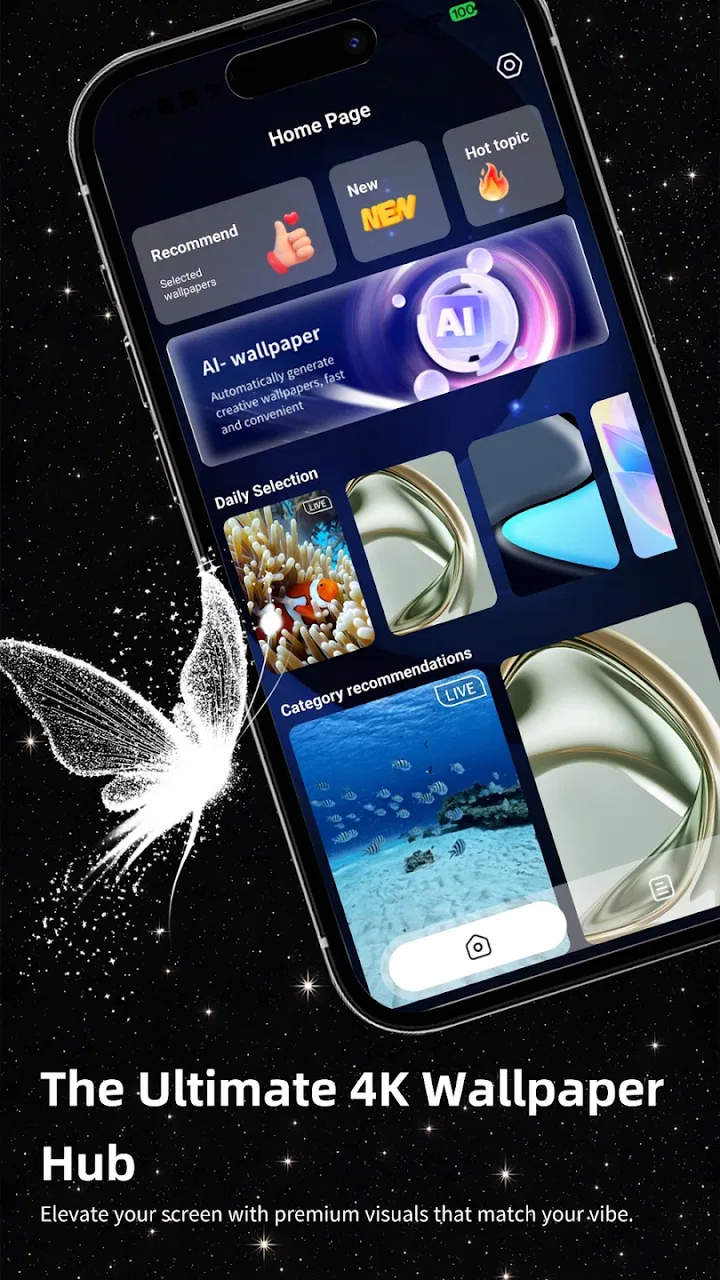
Alive Wallpaper Launcher
- 3.6
- Rating
- 100.00K
- Installs
- Free
- Price

 Analysis by App-foxy
I approached Alive Wallpaper Launcher as a personalization app first, not simply as another wallpaper picker. Its appeal is easy to understand: it aims to change the visual feel of a phone while also offering a launcher experience that is meant to feel fluid. After spending time considering how it fits into everyday phone use, I think it is most interesting for people who want their home screen to feel more expressive without assembling several separate customization tools.
The app comes from Enchanted Realms Studio and is free to use. It is rated for Everyone, which makes it broadly approachable, and it supports devices running Android 8.0 or later. Its current version is 116, and the app has passed the hundred-thousand-install mark. Those figures suggest that it has found a real audience, although the average rating of 3.6 from a little over two hundred ratings points to an experience that is useful for some people but not universally polished.
What the launcher-and-wallpaper combination feels like in practice
The central idea is more convenient than a standard wallpaper app. Instead of treating the background as an isolated image, Alive Wallpaper Launcher tries to make the phone’s first screen feel like one connected visual space. That matters because many wallpaper apps stop after applying a picture. Here, the launcher side is part of the reason to install it, so the decision is really about whether you want to change your home-screen routine as well as its appearance.
You May Also Like

 Blood Strike: 2.5 Anniversary
Blood Strike’s Loadouts Turn Every Drop Into a Tactical Gamble
A close look at Blood Strike’s custom loadouts: how fast access to signature weapons reshapes its battle royale rhythm, rewards preparation, and narrows the gap between fights.

 Pandora - Music & Podcasts
Pandora’s Music Is Easy to Start, but Harder to Recover
Pandora’s strength is its low-effort path from a seed to a station. Its weak spot is how much confidence it asks you to place in connection, setup, and quiet recovery.

 8 Ball Pool
 Is Built on Rivalries, Rematches, and Routine
A close look at the rivalries, rematches, shared routines, and unanswered safety questions that turn a quick pool match into a persistent mobile community.

 Samsung Music
’s Quiet Strength Is Playing What You Already Own
Its reach comes less from spectacle than from dependable access to a personal library. That simplicity is both the app’s strongest retention engine and its ceiling.

 AccuWeather: Weather Radar
AccuWeather Review: A Quick, Clear Forecast for Everyday Decisions
For everyday plans, the best forecast is the one you can understand quickly. AccuWeather makes rain timing, radar, and local conditions easy to act on, with a few trade-offs.

 Hill Climb Racing
Why Hill Climb Racing Still Turns Crashes Into One More Run
A tiny car, a bumpy hill and one more upgrade: Hill Climb Racing keeps resurfacing because its simple chaos makes every near-miss feel personal.
More From Our News Desk



I like that approach for users who enjoy refreshing their phone regularly. A new background can make a device feel different for a few days, but a launcher changes the way you reach apps, view the home screen, and return to familiar actions. The trade-off is that a launcher is more personal than a wallpaper. If you already know exactly where everything is on your current home screen, even a smooth alternative can require adjustment.
The store summary presents the app as a large wallpaper hub paired with an ultra-smooth launcher. I would treat that as the intended experience rather than a guarantee that every phone will feel identical. Android devices vary widely in screen size, manufacturer software, gesture behavior, and memory management. A setup that feels effortless on one phone may need more patience on another, especially when the system’s own launcher is tightly integrated with device features.
Why the visual side is the main attraction
For me, the strongest reason to try this app is the possibility of making the home screen feel less static. The short store description calls it “Alive Wallpaper,” which communicates the visual direction without explaining every detail. That name suggests motion or a more dynamic presentation, so I would approach it as an app for people who want their background to have more presence than a conventional still image.
That kind of design can work particularly well on a phone used for quick, frequent interactions. If you check the device throughout the day, the home screen becomes a repeated visual moment. A carefully chosen background can make the phone feel calmer, more playful, or more personal. The important practical point is to choose something that leaves enough contrast for icons and text. A striking background is not helpful if it makes the apps you need harder to identify.
I would also avoid changing the visual setup too often during a busy week. Frequent experimentation is fun, but it can make the phone feel unfamiliar at exactly the wrong time. My preferred workflow would be to test the app on a quiet day, select a background that remains readable, and then keep the arrangement stable until the new navigation feels automatic.
The launcher is a bigger decision than the wallpaper
Installing a wallpaper is usually a low-commitment change. Choosing a launcher is different because it can affect the first screen you see, the way you open applications, and the gestures you use without thinking. That is why I would not recommend judging this app only by its visual catalog. The real question is whether its launcher behavior fits your habits.
Users who prefer a clean, simple home screen may appreciate having the visual experience and launcher concept together. Someone who depends on a manufacturer’s special widgets, carefully arranged folders, or advanced home-screen controls may prefer to keep the existing launcher and use a dedicated wallpaper tool instead. In that situation, the extra launcher layer can feel like unnecessary change rather than an improvement.
A sensible test is to recreate only the essentials at first: the phone, messages, camera, maps, and the few apps you open every day. I would not move every icon immediately. This makes it easier to tell whether the new layout actually helps or whether the novelty is doing all the work. It also reduces the frustration of having to rebuild a complicated home screen if you decide to return to your previous setup.
Trust, choices, and what to check before settling in
Because a launcher sits close to everyday phone behavior, I pay more attention to control and transparency here than I would with a simple image editor. A wallpaper app may be used occasionally, but a launcher can become part of every unlock and every app launch. That makes the first setup screen important. I would read each request carefully, distinguish what is necessary for the visual experience from what is optional, and avoid approving anything I do not understand.
The available app details identify Enchanted Realms Studio as the developer, but they do not turn that name into a reason to trust blindly. My practical advice is to look at the permission prompts and any privacy explanations shown during installation or inside the app. The safest choice is the one where you can clearly see what is being requested and why. If a prompt feels unrelated to wallpapers or launcher behavior, pause before accepting it.
Verified controls matter more than attractive previews
When I evaluate a personalization app, I want to know whether the user can make visible choices rather than being pushed through a single automatic setup. That includes choosing a background, deciding whether to adopt the launcher, and understanding how to return to the phone’s previous home-screen experience. These are the moments where user agency matters most.
I would look for a clear way to set or change the wallpaper, a straightforward launcher selection in Android’s system settings, and an obvious route back if the new arrangement does not suit you. Android generally provides system-level controls for choosing a default home app, so I would use those controls rather than relying only on an in-app button. Keeping that fallback in mind makes experimentation feel safer.
The app’s free price lowers the barrier to testing, but free does not mean frictionless. The real cost may be time spent arranging the home screen or adapting to a different navigation pattern. I would reserve a few minutes for setup and avoid installing it immediately before travel, work, or another situation where I need the phone to behave exactly as usual.
Be deliberate during data-sensitive moments
The most sensitive moments are not limited to the initial download. They include enabling a new launcher, responding to permission prompts, opening any account-related screen, and selecting personalization settings that might involve online content. I would slow down at each of these points and read the wording instead of tapping through automatically.
If the app presents account controls, I would check whether an account is optional or required for the parts I actually want. A wallpaper-and-launcher experience should be judged partly by how much of it remains usable without unnecessary personal setup. I would also review any available privacy or data settings before browsing deeply, particularly if the app offers content that appears to be fetched or refreshed.
I cannot treat a pleasing interface as evidence of good data practices. My trust would come from visible explanations, understandable choices, and the ability to change my mind. If those controls are easy to find, that is reassuring. If they are hidden behind vague wording or repeated prompts, I would keep my use limited to the functions I can clearly understand.
Everyday scenario: a calmer phone for a busy morning
Imagine someone who checks the phone repeatedly between commuting, messages, and appointments. Their current home screen is crowded with icons and an old background that no longer feels useful. Alive Wallpaper Launcher could be worthwhile if the person wants a visual reset and is willing to rebuild the first screen around only the apps that matter most.
I would begin by choosing a background with clear empty space behind the main icons. Then I would place only the essential apps on the first screen and leave less important tools in the app drawer or a secondary page. This is a small but meaningful trade-off: the wallpaper becomes easier to enjoy, while the launcher becomes easier to navigate. If the person finds that opening familiar apps takes longer, that is a sign to simplify further or return to the previous launcher.
For a family member who is less comfortable with changing phone settings, I would be more cautious. The Everyone rating means the app is broadly age-appropriate, but that does not automatically mean every launcher workflow will be intuitive for every user. I would set it up together, explain how to switch back, and avoid changing a phone that someone depends on for urgent calls until the new arrangement has been tested.
Where it compares well with usual alternatives
The usual alternative is to keep the system launcher and install a separate wallpaper app. That route is often better for people who want control over navigation to remain exactly as it is. It also makes troubleshooting simpler because only the background has changed. Alive Wallpaper Launcher is more appealing when the user wants a coordinated change and does not mind learning a different home-screen rhythm.
Another alternative is a highly configurable third-party launcher combined with a wallpaper collection. That setup may suit enthusiasts who want detailed control over grids, gestures, icon packs, and widgets. The advantage is flexibility; the disadvantage is that it can take much longer to configure. Alive Wallpaper Launcher seems better aimed at someone who values a ready-to-use visual direction over building every detail manually.
There is also the manufacturer’s own personalization system. On some phones, the built-in tools integrate more reliably with system themes, lock screens, battery behavior, and device-specific widgets. If those integrations are central to your daily use, the stock option may remain the better choice. I would choose this app for its visual character and combined launcher concept, not because a third-party tool is automatically superior.
Small habits that make the trial more useful
First, take a quick screenshot of your existing home screen before changing anything. This is not glamorous, but it gives you a reference when rebuilding and helps you remember which widgets or shortcuts you actually used. It also makes the return process less frustrating if the new launcher does not fit.
Second, test the app with your normal notification flow. A home screen can look excellent when empty but become difficult to read once notification badges, widgets, and frequently used shortcuts appear. I would judge it after a normal day rather than during the first five minutes of setup.
Third, check battery behavior in your own routine instead of assuming that a dynamic visual style will suit every device. I would not make a universal claim about its effect because phones manage animated or changing backgrounds differently. If battery life is a priority, compare a full day with the app enabled against your usual setup and keep the configuration only if the visual benefit is worth it to you.
Fourth, keep the system route back to your previous launcher in mind. If you lend the phone to someone else, hand it in for repair, or need maximum reliability for an important day, knowing how to restore the familiar home screen is a practical safety net. This is especially valuable because launcher changes can affect muscle memory even when the underlying apps remain the same.
Who should try it, and who should skip it
I think the app is a reasonable fit for Android users who enjoy visual customization, want a wallpaper-focused refresh, and are open to trying a different launcher. It is also a sensible low-risk experiment for someone whose home screen feels stale but who does not want to spend hours designing a complete theme from separate tools. The fact that it is free makes that experiment easier to justify.
I would skip it if you are perfectly happy with your current launcher and rely heavily on manufacturer-specific widgets or gestures. I would also be cautious if you need a phone to remain unchanged for accessibility, work, or family-support reasons. In those cases, a standalone wallpaper option or the phone’s built-in personalization tools may provide the visual change without altering navigation.
The rating of 3.6, based on roughly two hundred ratings and several dozen written reviews, is a useful reminder to keep expectations measured. The app has reached more than one hundred thousand installs, so it is not an obscure experiment, but popularity alone does not settle whether it will suit your device. I would treat the first session as a compatibility test rather than assuming the experience will be perfect.
My cautious verdict
Alive Wallpaper Launcher has a clear identity: it combines a more expressive wallpaper experience with a launcher intended to feel smooth and cohesive. I appreciate that it offers more than a one-tap background swap, and I can see why a person who likes refreshing their phone would want both pieces in one place.
My reservation is equally clear. A launcher is not just decoration, and the app deserves a more careful trial than an ordinary wallpaper picker. Read the prompts, inspect the controls that are visible during setup, decide whether an account is genuinely necessary for your intended use, and make sure you know how to return to the system launcher. Those steps let you evaluate the app without giving up control of your phone’s everyday behavior.
In the end, I would recommend trying it to a friend who wants a livelier home screen and is comfortable spending a little time arranging things. I would not recommend replacing a dependable setup just for novelty, especially when the current phone already meets your needs. Its best use is as a deliberate personalization experiment: enjoy the visual change, keep the layout readable, and keep your exit route clear.
FAQs for Alive Wallpaper Launcher
01What features does Alive Wallpaper Launcher offer?
Alive Wallpaper Launcher provides a dynamic and customizable home screen experience. It offers a wide range of live wallpapers, themes, and widgets to personalize your device. Users can also enjoy smooth transitions and animations. The app is designed to enhance both the aesthetic and functional aspects of your device's interface.
02Is Alive Wallpaper Launcher compatible with all Android and iOS devices?
Alive Wallpaper Launcher is compatible with most modern Android and iOS devices. However, older models might experience reduced performance or limited functionality due to hardware constraints. It's always a good idea to check the app's requirements on the download page to ensure compatibility with your specific device model.
03Does using Alive Wallpaper Launcher drain battery life significantly?
While live wallpapers and animations can consume more battery than static images, Alive Wallpaper Launcher is optimized for efficiency. The app includes settings to manage battery consumption, allowing users to adjust the intensity and frequency of animations. For best results, users should monitor battery usage and make adjustments as needed.
04Are there any in-app purchases or ads in Alive Wallpaper Launcher?
Alive Wallpaper Launcher offers both free and premium content. While the basic app is free to download, some themes, wallpapers, and features are available through in-app purchases. Additionally, the free version might include ads, which can be removed by purchasing a premium subscription. This helps support ongoing app development.
05How easy is it to customize my device with Alive Wallpaper Launcher?
Customizing your device with Alive Wallpaper Launcher is intuitive and user-friendly. The app offers a straightforward interface where users can browse and select from a vast library of wallpapers and themes. With just a few taps, you can transform your home screen. The app also provides tutorials for new users to guide them through the customization process.
Pros
- Highly customizable interface options.
- Smooth performance with low battery usage.
- Wide variety of live wallpapers.
- User-friendly and intuitive design.
- Regular updates with new features.
Cons
- Some wallpapers require in-app purchases.
- Limited themes available without subscription.
- Occasional ads can be disruptive.
- Consumes more data with live updates.
- Not all devices support full features.

Alive Wallpaper Launcher
Gallery